
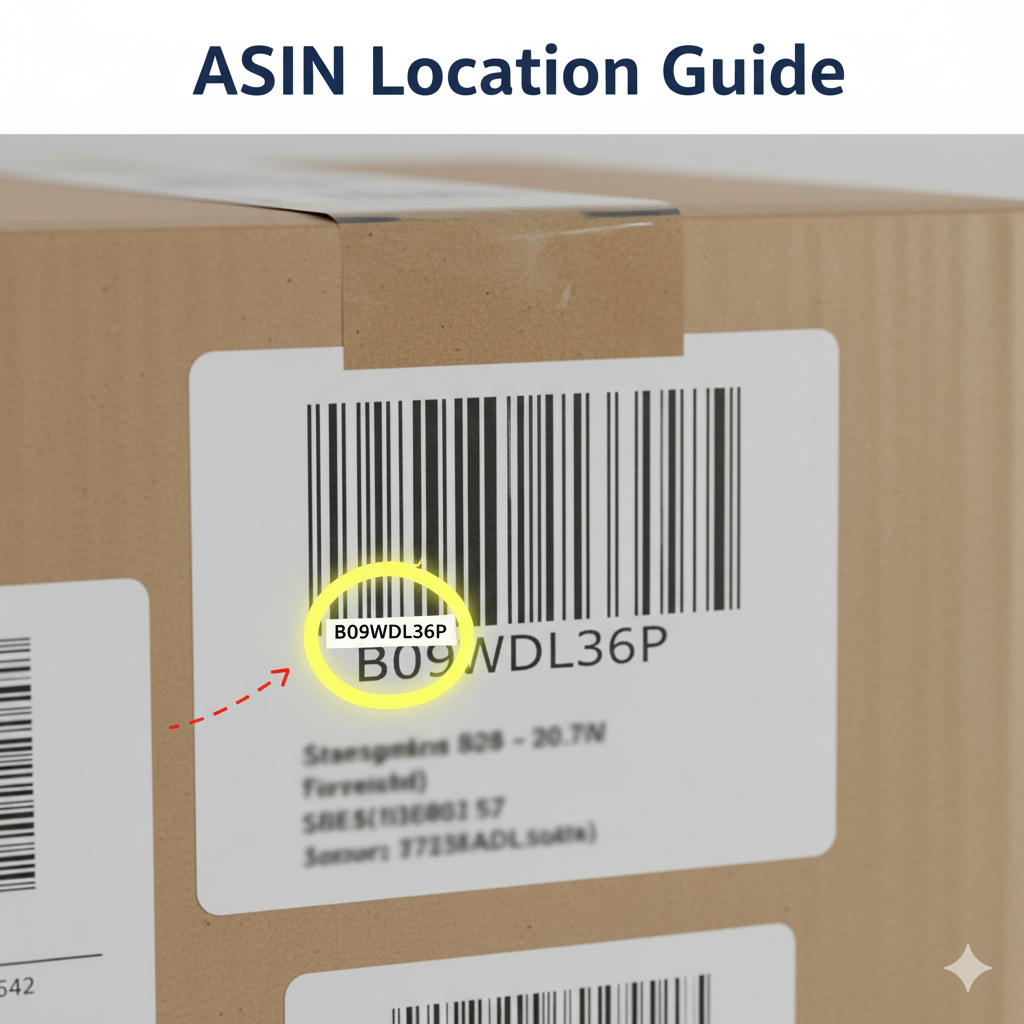
If you’ve ever tried to look up a product on Amazon, you might have noticed the ASIN, or Amazon Standard Identification Number, and wondered how to find it on the physical product box. Whether you’re an Amazon seller, reseller, or just curious, knowing the ASIN can make product searches and listings much easier.
1. What is an ASIN?
ASIN stands for Amazon Standard Identification Number. It’s a unique 10-character alphanumeric code assigned to every product listed on Amazon.
- Helps you identify products uniquely
- Used by sellers for listings and inventory
- Makes product searches precise and efficient
2. Where to Look on the Product Box
Finding the ASIN on a box can vary by manufacturer, but common locations include:
- Barcode section / UPC label: Sometimes the ASIN is printed near the barcode along with other identifiers.
- Side or bottom of the box: Some manufacturers include it in small text near the product details or serial number.
- Instruction manuals or inserts: Occasionally, the ASIN is listed inside the box on manuals or warranty cards.
Tip: Not all physical boxes display the ASIN. If you don’t find it, you can locate it online using the UPC or product name.
3. Alternative Ways to Find a Product’s ASIN
If it’s not printed on the box, you can still find it:
- Amazon Product Page: Scroll to the Product Information section and look for the ASIN.
- Search by UPC: Many products’ UPC codes can be entered on Amazon to reveal the ASIN.
- Amazon Seller App: Scan the barcode, and the app will show the ASIN.
4. Why Knowing the ASIN is Useful
- Quickly find the exact product on Amazon
- Avoid listing errors if you are selling
- Compare prices and reviews efficiently
- Track inventory or shipments
5. Final Tips
- Always double-check the ASIN before listing or searching.
- Keep a record if you are an Amazon seller for inventory management.
- Remember: ASIN is different from UPC or SKU, so don’t confuse them.
Finding the ASIN on a product box is usually simple if you know where to look. If it’s not on the box, online tools and Amazon’s product page make it easy to find.