
If you’re expanding your product line on Amazon with new colors, sizes, styles, or bundle options, you’ll need to create new ASINs for these variations. But variation listings can get confusing, especially when deciding whether your new product needs a new ASIN, a child ASIN, or a completely separate listing.
In this guide, you’ll learn exactly how to create a new ASIN for your product variation and how to structure your parent-child listing the right way.
What Is an ASIN on Amazon?
An ASIN (Amazon Standard Identification Number) is Amazon’s unique identifier for every product in the catalog.
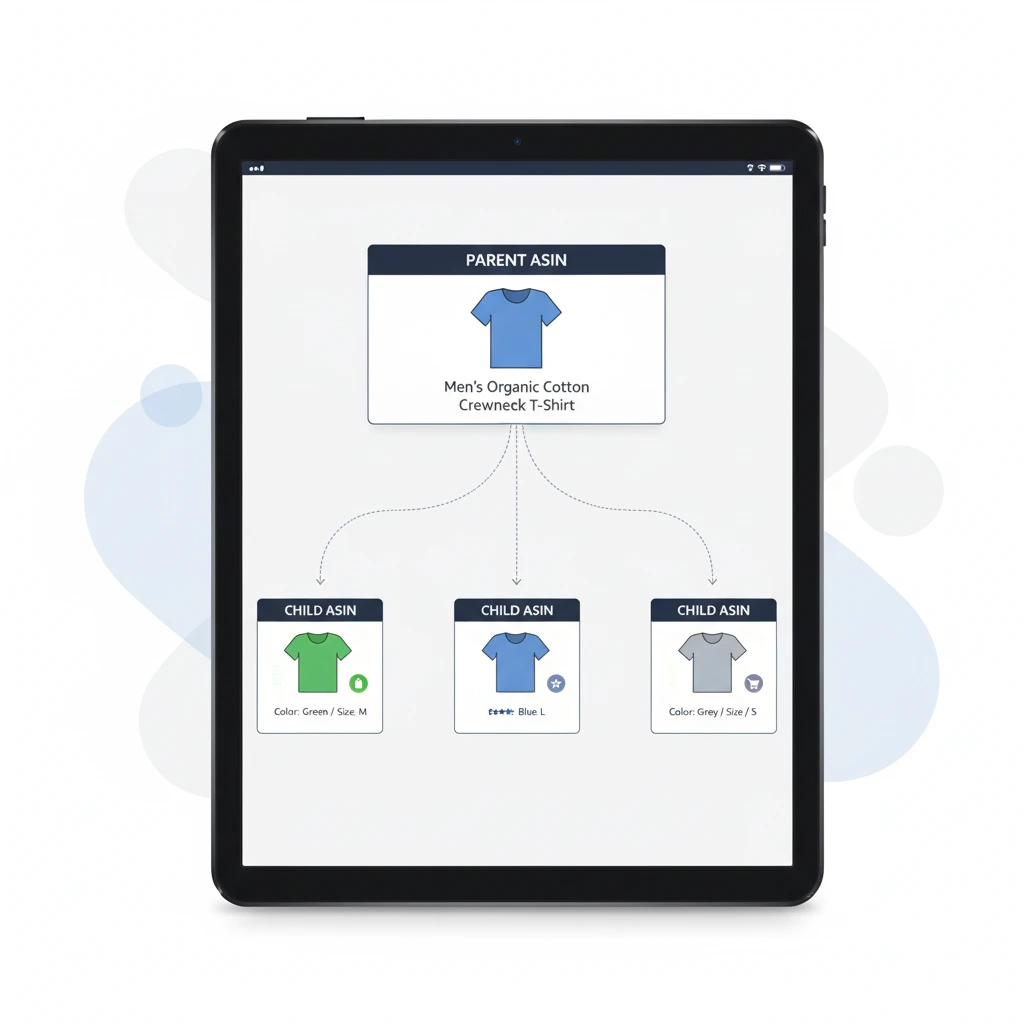
- Each product variation (color, size, pack count, flavor, etc.) gets its own ASIN.
- All variations are grouped under one parent ASIN.
This structure improves your SEO, customer experience, and conversion rate.
When Do You Need a New ASIN for a Product Variation?
You need to create a new ASIN when your product has a change that affects the customer’s buying selection, such as:
✅ Color
✅ Size
✅ Style
✅ Flavor
✅ Pack count
✅ Material
✅ Quantity variations
✅ Bundle options
Amazon treats each of these as a unique child listing under one parent product.
How to Create a New ASIN for a New Product Variation
Step 1: Determine Your Variation Theme
Variation themes vary by category. Some examples include:
- Apparel → Size, Color
- Beauty → Shade, Scent, Size
- Home & Kitchen → Size, Color
- Grocery → Flavor, Pack Count
Check your product category to confirm available variation themes.
Step 2: Go to “Add Products” in Seller Central
- Log in to Amazon Seller Central
- Go to Inventory → Add Products
- Select “I’m adding a product not sold on Amazon”
This ensures you create a brand-new ASIN.
Step 3: Create or Locate the Parent Listing
- If you already have a parent listing created → skip to Step 4.
- If not, you’ll create a parent listing first:
A parent product:
- Does not have inventory
- Does not have a price
- Exists only to group child variations
Amazon will auto-generate a parent ASIN for you.
Step 4: Add a New Child ASIN for Your Variation
Inside the variation tab:
- Choose the correct variation theme (e.g., Color, Size).
- Click “Add Variation”.
- Fill in:
- Variation name (e.g., “Black”, “Large”)
- SKU
- UPC/GTIN
- Price
- Quantity
- Images
- Product attributes
Amazon will automatically assign a new ASIN once the variation is saved and processed.
Step 5: Provide a Unique UPC for Each Variation
Each variation needs its own identifier.
For example:
- Red Shirt (Small) → 1 UPC
- Red Shirt (Medium) → 1 UPC
- Blue Shirt (Small) → 1 UPC
You can purchase these from GS1 unless you have a GTIN exemption.
Step 6: Upload Images for the New Variation
Each child ASIN should have:
- A unique variation image
- Additional lifestyle or detail images
This helps shoppers choose the correct option and improves conversion.
Step 7: Submit and Wait for Amazon to Create the ASIN
Once submitted:
- Amazon validates your UPC/GTIN
- Checks brand registry
- Ensures variation theme is correct
- Creates a new ASIN for your child listing
This usually takes a few minutes to a few hours.
Common Issues When Creating New ASINs
Here are frequent mistakes sellers run into:
❌ UPC already in use
❌ Incorrect variation theme for the category
❌ Duplicate listings detected
❌ Parent listing created as an actual product
❌ Wrong category selection
❌ Trying to combine unrelated products into one variation
Fixing these early prevents listing suppression and delays.
Best Practices for Variation Listings
✅ Keep all variations relevant
Only related products should be grouped (e.g., sizes of shirts — yes, shirt + hat — no).
✅ Use consistent images
Make it easy for customers to compare variations.
✅ Use clear variation labels
One-word or short labels work best: “Black,” “Medium,” “2-Pack.”
✅ Ensure keywords cover all variations
Amazon indexes each child ASIN separately.
Final Thoughts
Creating a new ASIN for a new variation on Amazon isn’t complicated once you understand the parent-child relationship. Each variation color, size, flavor, or style needs its own child ASIN, which Amazon automatically assigns when you add it under the parent listing.
Follow the steps above, stay compliant with variation rules, and your listings will look clean, professional, and conversion-friendly.